Anydesk
AnyDesk, a fast remote access to computers

Safe & Secure
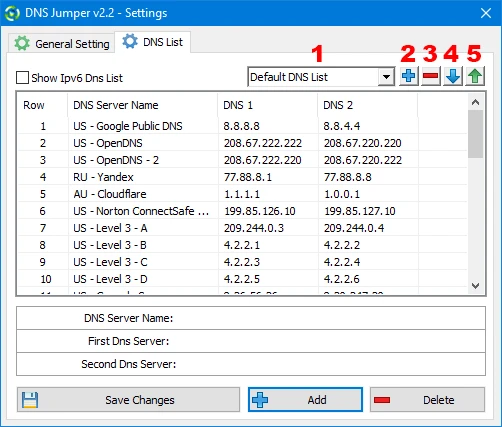
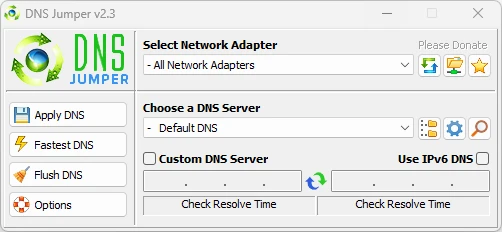
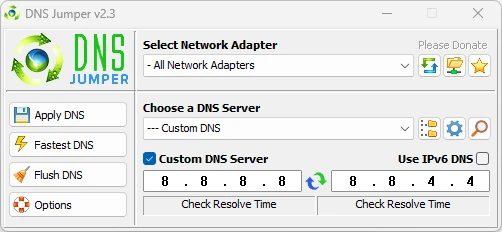

DNS Jumper is a simple yet efficient tool to offer automatic configurations, switching quickly between multiple DNS addresses. Domain Name System (DNS) is the phonebook of the Internet. It means it translates your typed web address into an IP address for the ease of computers to detect each other on the network.
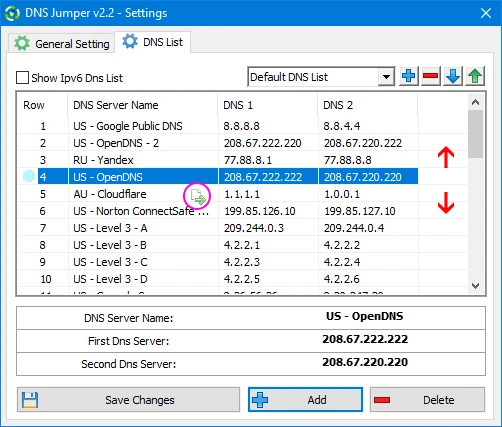
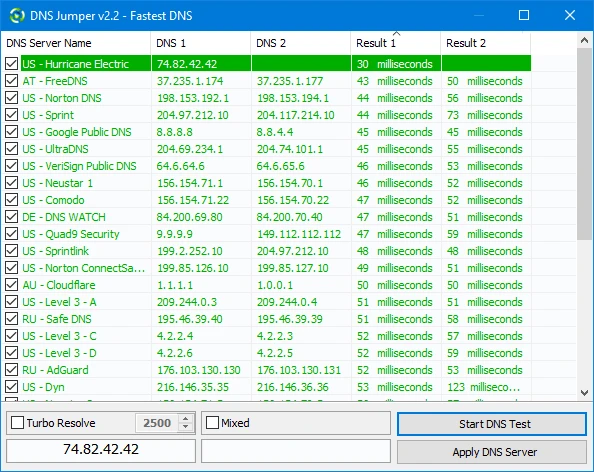
It is a free and lightweight utility to offer a list of popular DNS providers such as Google DNS, OpenDNS, and Cloudflare, and even allows inputting custom DNS addresses manually. The user-friendly interface not only offers quick switching between DNS servers, but also tests their speed.
DNS Jumper, also referred to as DNS Replacer, developed by Sordum, is widely usable software used for improving Internet speed, privacy, and accessibility. It enables users to become part of the global network by using the Windows DNS servers for establishing inter-domain connectivity. It also helps to modify DNS records easily and quickly.
The highly customizable app makes it possible to bypass regional restrictions, improves privacy, and reliably makes changes in DNS settings to troubleshoot network connectivity. The simple-to-use app is reliably useful for novice as well as professional users, offering quick switching between DNS providers.
It offers lightning-fast precision to locate DNS IPs, and you can add anything to the settings of a network card within minutes. The efficiency and speed are the best elements, and similar to other utilities, users can use it without extra technical skill. It is compatible with both 32-bit and 64-bit Windows operating systems.
Quick one-click switching between pre-configured DNS servers is possible, and users are also capable of adding their own custom DNS as well. You need only access the categorized list for selecting a DNS server of your choice, click “Apply DNS”, and quickly update the network settings of your system. In addition, the app also incorporates an automatic tester to select the fastest server based on your location, as it helps to test different servers for the best response time.
The user interface is straightforward and compact, offering simplicity of design, making everything simple to use to offer full functionality on the main window. A drop-down menu is also available on the interface; simply click and view popular DNS services, clearly labeled buttons for testing speed, flushing DNS, and applying changes. The clean layout is quickly accessible for both novice and more advanced users.
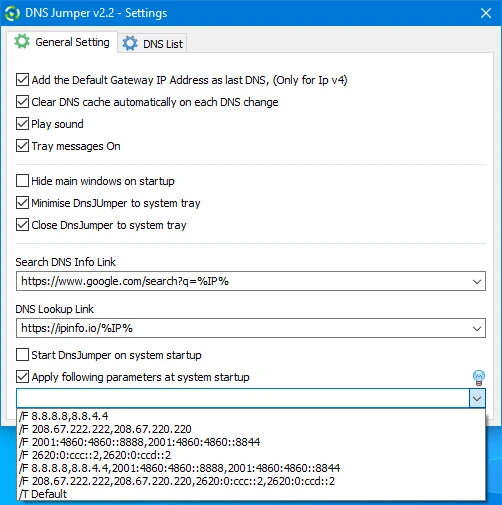
The app, with a lightweight size, consumes minimal system resources and proves unobtrusive and easy to use. The portable capability also enables users to take it anywhere using their USB drives, without demanding a standard installation. In addition, it supports both IPv4 and IPv6 DNS addresses, and also command-line control. It also helps to get your preferred specific servers with support for custom DNS entries.
Regular updates and small refinements are part of the app, allowing users to get new exciting functionalities such as expanded language support, ongoing DNS list updates, improved automatic fastest-DNS testing, and awesome compatibility with multiple modern Windows versions, and multiple others. But the portability status demands manual downloading from the official website, instead of being delivered automatically.
It is one of the core features that helps users to reliably experiment with DNS changes and easily retrieve their original configuration in case something went wrong. Simply click the “Backup” button before you start making changes. It will save your current configuration, ensuring you can restore it anytime. It enables users to try different DNS providers across days or weeks, having the original ISP-provided DNS settings backed up, with the ability to go back to the original configuration easily. The backup files are text-based, so you can manually edit them if you want.
Along with multiple innovative functionalities, the app offers a dedicated flush DNS cache button, allowing users to clear the local cache of DNS lookups on your computer. The local cache stores recent results to speed up repeated lookups. However, stale cache entries can cause mistakes when DNS records change. The feature reliably clears the cache while running the appropriate operating system commands. It offers fresh DNS lookups for any alternative connections.
Pros
Cons

AnyDesk, a fast remote access to computers

Accelerated Downloading with Internet Download Manager (IDM)

SHAREit for PC is the best option for a P2P file-sharing process without using Wi-Fi.

ShareMe for PC, a freeware and streamlined file-sharing app

uTorrent, a powerful, lightweight, and fastest P2P file-sharing software

Xender for PC, an effective and convenient file transfer utility